
Replacement Causes Excel
Below is an example of an empty Excel file of the replace causes.
The Excel file dedicated to replacement causes is made up of two tabs, each one dedicated to a specific type of information that must be uploaded into the system by the user. Below is a description of how to fill in the various tabs.
Tab REPLACE CAUSES
All the details of replacement causes can be entered in this tab. It is also possible to specify the relationships that causes have with subgroups and components.

The GROUP CODE and SUBGROUP CODE columns, if filled in, allow linking the replacement cause to the subgroup. They must contain the unique codes of the group and subgroup. Note that the subgroup must belong to the specified group for the association to be accepted.
The COMPONENT CODE column allows linking a component to a cause using the component’s unique code.
The first three columns are mutually exclusive. If the GROUP CODE and SUBGROUP CODE columns are filled in, then the COMPONENT CODE column cannot be filled in, and vice versa. The Excel file is designed to alert the user when these columns are filled in incorrectly.
If multiple subgroups or components need to be associated with the same replacement cause, a row must be filled in for each object with its data, while the remaining columns should be completed in the same way for each row, i.e., repeating the cause details.
The CODE column allows specifying a unique code that will identify the replacement cause.
The SEVERITY column must contain a numeric value indicating the severity of the cause. It is recommended to use a scale from 0 to 15 for these values.
The FMECA column can only contain values 0 or 1, since it is a flag that specifies whether the replacement cause implied a failure. All replacements for which the cause is flagged as FMECA will be available for analysis in the Pareto of causes.
Tab REPLACE CAUSES TRANSLATIONS
This tab allows specifying all translations related to the replacement causes listed in the REPLACE CAUSES tab. For each cause, it is necessary to specify a name and a description of its effects at different levels. Note that each column is duplicated for all project languages, so its value can be specified in each language.
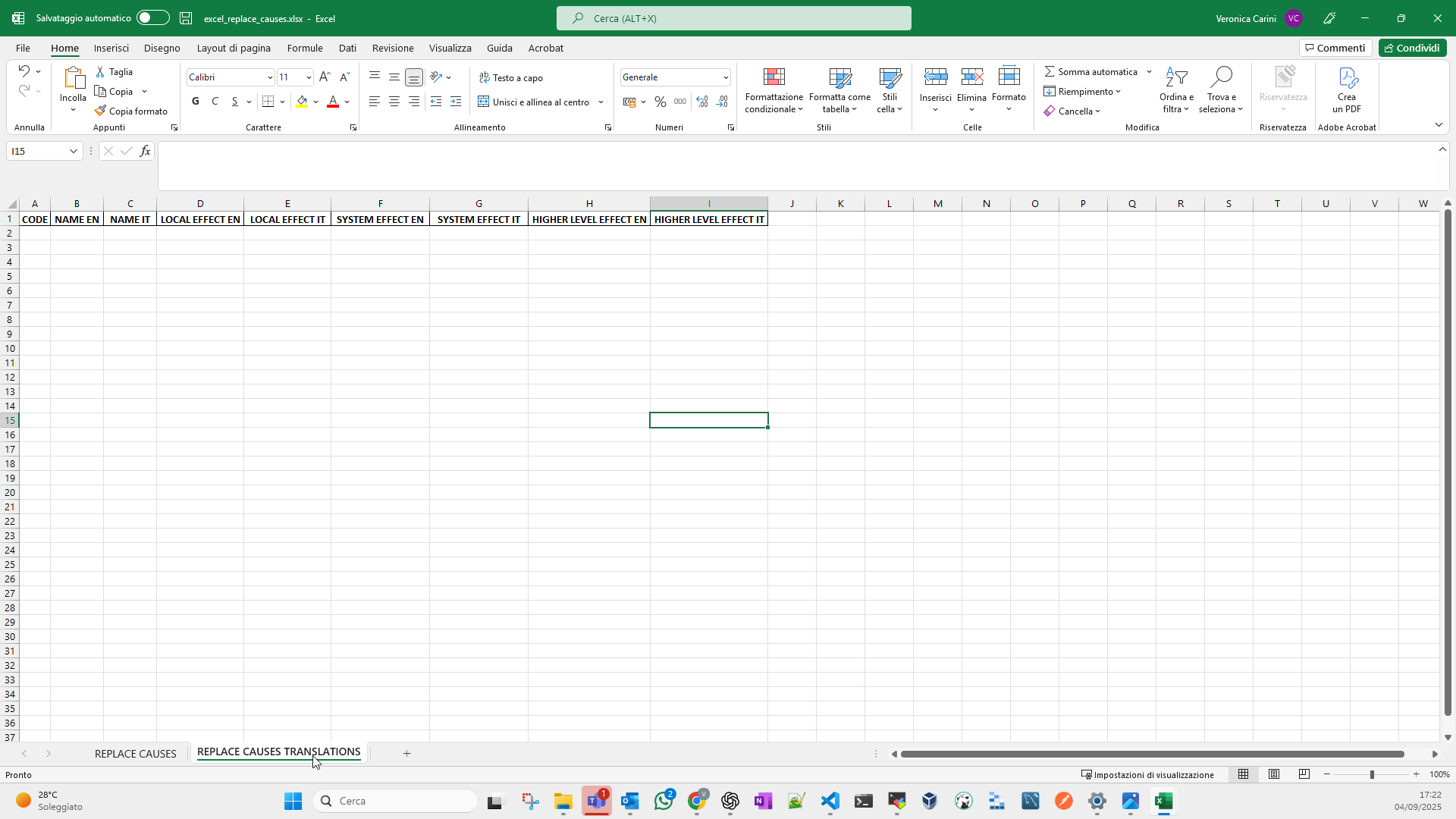
The CODE column must contain the unique code of the cause for which translations are being defined. Note that the values in this column must match the values in the CODE column in the REPLACE CAUSES tab.
Image B shows an example of the REPLACE CAUSES TRANSLATIONS tab. In this case, the only project languages are Italian and English, so the columns are provided only in these two languages. The different levels for which an effect description must be specified are: LOCAL, SYSTEM, HIGHER LEVEL.