
Past Videos
On this page, the historical recordings are presented in the form of a list.

The page features controls that allow users to modify the displayed data. The reference time interval can be chosen by the user, thus displaying information related to the videos recorded within the selected interval. Additionally, since each video is associated with a category, there is a component on the page that allows filtering based on the type of video.
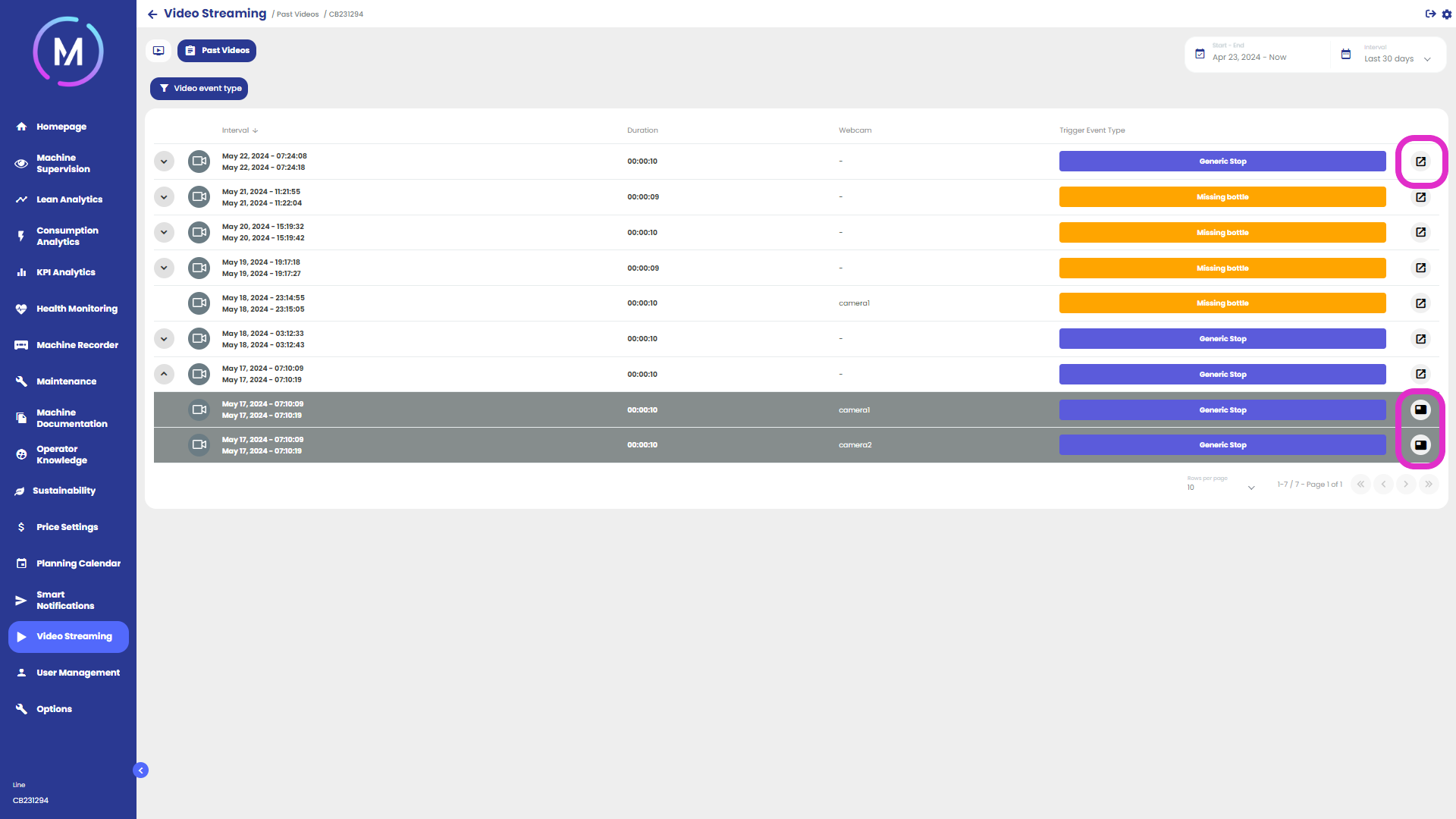
Each item in the list refers to a single recording or a set of simultaneous recordings. For each entry in the list, some information is displayed, such as the category of the reference recording, its duration, and the webcam that made the recording. Furthermore, expandable entries allow viewing of the simultaneous recordings that occurred.
The highlighted side buttons in Figure B allow access to the details of the recording. In the case of multiple simultaneous recordings, it is possible to access parallel viewing or view the single recording.
The view within the detail page appears as in Figure C and Figure D. As shown, the first image displays a single video, while the second displays multiple videos captured in parallel.


While the left side is occupied by the videos, the right side of the view features a dynamic graph representing the trend of variables at the same instants covered by the recording. At the top of the page, there is a checkbox that allows users to remove the graph as desired. The variables to be displayed inside it can be selected through the appropriate control.
Additionally, at the top of the screen, there is a progress bar with buttons for playback and pause, as well as the same information provided on every recording viewing page.
Below is an animation that allows a better understanding of the page's operation.
