Basic Knowledge
Introduction to the Web Server
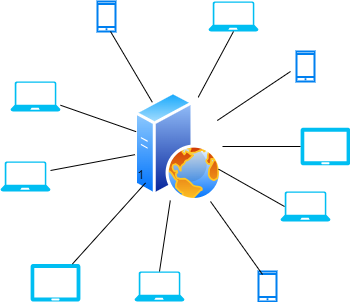
A web server is a program that uses the Internet to send web pages or data to users in response to their requests from computers or smartphones. When a user enters an address in a browser, they are requesting a web server to send the page corresponding to that address. Each instance of MAT is hosted on a web server, which manages these requests and returns the requested pages and data to the users' browsers.
How to Interact with a Web Server
To interact with a web server, you can send HTTP requests to specific Internet addresses known as URLs (Uniform Resource Locators). These URLs allow you to request data or send information to the server, which is essential for using online services such as social media, e-commerce, and more.
Definition of URL
A URL acts like the address of a house, but for resources available on the Internet. For example,https://www.esempio.com/pagina is a URL where:
https://represents the protocol used to access the resource;www.esempio.comindicates the domain that hosts the resource;/paginaspecifies the path of the resource on the web server.
Endpoint
An endpoint is a specific URL on a web server that handles a particular function or data. For instance, an endpoint might allow you to retrieve a list of all available videos on a video streaming site.
Web Server Request Methods
To communicate with a web server, different request methods can be used. The two most common are:
GET: used to request data from the server. For example, if a user wants to see new posts on a social network, their computer sends a GET request;
POST: used to send data to the server. For example, when a user uploads a photo to a social network, their computer sends a POST request with the photo attached.
Parameters in the Payload and Query
When sending a request to a server, it is often necessary to include additional information specifying what you are requesting or sending. There are two elements within which such information can be specified:
Query Parameters: these are included directly in the URL, usually after a
?. For example,https://www.esempio.com/video?genere=commediarequests videos of the comedy genre;Payload: this is the body of the request, mainly used with the POST method. It can include more complex data, such as information from a form being submitted.
OpenAPI Specifications
When using an application with a Front End, which is a graphical user interface, all the operations for calling various endpoints are transparent to the user. However, the user can bypass this interface to retrieve the data they are interested in independently.
To understand how to interact with the web server, the OpenAPI standard can be utilized. OpenAPI is a formal specification that describes RESTful API interfaces in a detailed and standardized way. This standard is used to document the endpoints, request methods, accepted parameters, and response formats of an API.
To interact with web APIs, it is essential to use tools that allow you to send HTTP requests. In this discussion, we will refer to the use of Postman, but other tools like cURL or Thunder Client can also be used.
Authentication on Web Server
Authentication is the process by which a system verifies the identity of a user attempting to access a protected resource. The web server uses authentication to confirm that the user or system making the request is indeed who they claim to be, thereby ensuring information protection, monitoring access to different parts of a system, and maintaining the integrity and confidentiality of the information.
Authentication can be accomplished through various methods, including:
Username and Password: the most common method, where users provide a username and a password that must match those registered in the system;
Authentication Token: a token is a string of characters that is passed with requests to the server to confirm the user's identity after they have authenticated once.
Basic Authentication
Basic Authentication is a simple technique in which the username and password are encoded in base64 and sent in the HTTP request header. It is not the most secure method because, if intercepted, the base64 code can be easily decoded.
Example of a header with Basic Authentication:
Bearer Authentication
Bearer Authentication is a more secure method that uses an access token for requests. After the user successfully authenticates, the server issues a token that the user must send with every subsequent request to access protected resources. Bearer tokens are usually generated using secure standards like OAuth 2.0.
Example of a header with a Bearer token:
More information on the specific authentication method to use when interacting with MAT APIs is provided on this page.
Data Operations
Group By
Group By is a database and data analysis operation that groups rows with the same values in one or more specified columns. This is useful for performing aggregations and obtaining statistical summaries of data subsets. For example, you might want to calculate the average production for each recipe in a production data logging dataset.
Filter By
Filter By refers to the process of filtering data based on specific criteria or conditions. This allows analysts to isolate only the data rows that meet certain conditions, facilitating more targeted analyses or the exclusion of irrelevant or misleading data. For example, you might want to calculate the total production when a machine used a particular tool.
Resample By
Resample By is a method used to reorganize time series data. It involves changing the frequency of data points, such as converting a time series from daily to monthly frequency. This is particularly useful for trend analysis over different time intervals or for harmonizing time series with different frequencies. Additionally, it reduces the amount of data that needs to be processed and exchanged over the network.
Timestamp
A timestamp is essentially a time marker that records the exact time when an event or transaction occurs. Timestamps can be used to record when data was modified, when an action was taken, or when a specific event occurred in a system.
Timestamp in UTC
UTC stands for "Coordinated Universal Time," which is the world's standard time. This standard does not account for time zone variations or daylight saving time, providing a uniform reference for times worldwide. Having a timestamp in UTC means that the recorded time is based on this global standard, regardless of the geographic location where the event occurs.
UTC Timestamp Format
For invoking various endpoints, all timestamps must be in the format YYYY-MM-DDThh:mm:ss.sssZ. This is a standard format known as ISO 8601, and its components have the following meanings:
YYYY-MM-DD: this part represents the date. "YYYY" is the year, "MM" is the month, and "DD" is the day;
T: the character 'T' is used as a delimiter that separates the date from the time in the timestamp;
hh:mm:ss.sss: this part represents the time. "hh" stands for hours, "mm" for minutes, "ss" for seconds, and "sss" for milliseconds;
Z: the character 'Z' stands for "Zulu" and is used to indicate that the time is in UTC. In practice, 'Z' is a notation that means the recorded time is exactly aligned with UTC, without any time zone offset applied.
Example
Suppose you have a machine located in the "Europe/Rome" timezone and you want to download all the data for May 25, 2024. The timestamps for the interval expressed in UTC will be:
start instant = 2024-05-24T22:00:00.000Z
end instant = 2024-05-25T21:59:59.999Z
Calendar and Shifts
Within MAT, it is possible to set up a calendar for each individual machine, meaning that users can define work shifts during which the machine was in use. This allows the application to display only the data related to those specific shifts. The calendar acts as a filter, hiding data from all time intervals in which no shift is defined. This enables all necessary calculations to be performed using only the recorded data—and therefore the production—within the defined shifts. Users are free to choose whether or not to use the calendar for data analysis.
Last updated